
Click to obtain the online quotation request form.
Keywords: LiveU, LU300, User Manual, Quick Start Guide
The LU300 is based on LiveU's professional-grade hardware HEVC encoding technology, combining high-quality video performance with extremely high bandwidth efficiency, providing users with high-quality live streaming video while on the move. Compared to H.264, it can save approximately half the bandwidth for the same video quality. If the same bandwidth is maintained as with H.264 encoding, the LU300 will transmit higher video quality.
LU300 Features:
1. HEVC hardware encoding;
2. Compact and portable;
3. Up to 6 network links;
4. Strong battery life;
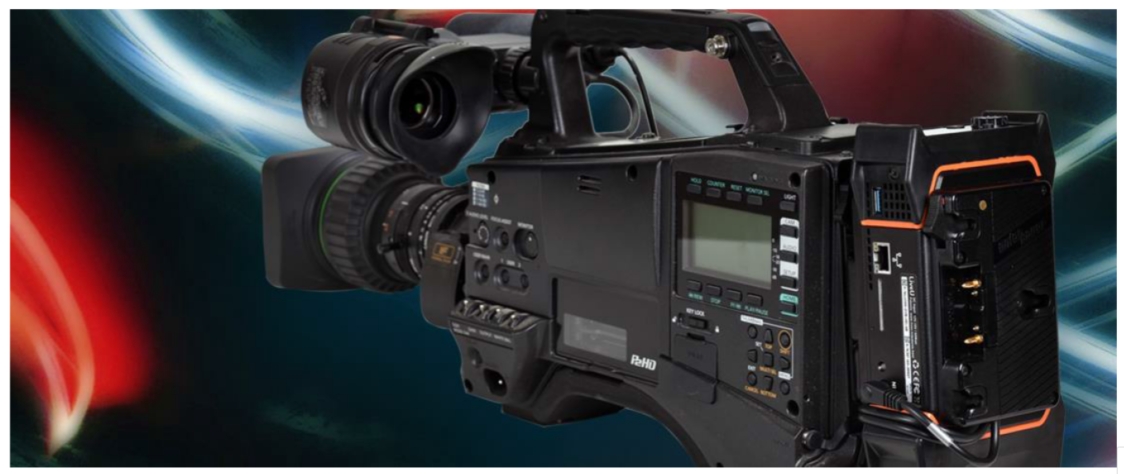
5. Versatile deployment, can be used externally with cameras;
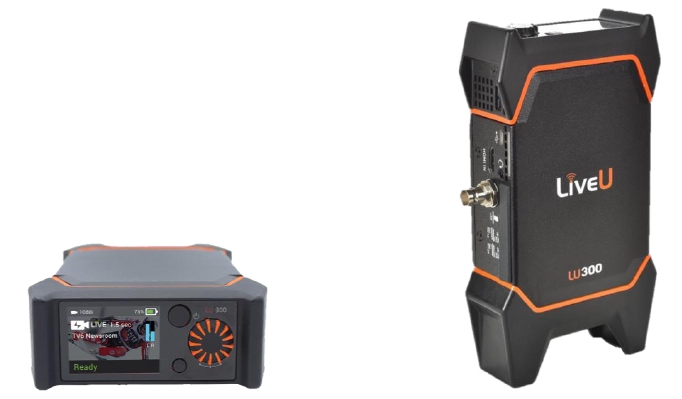
Appearance of the LU300 device
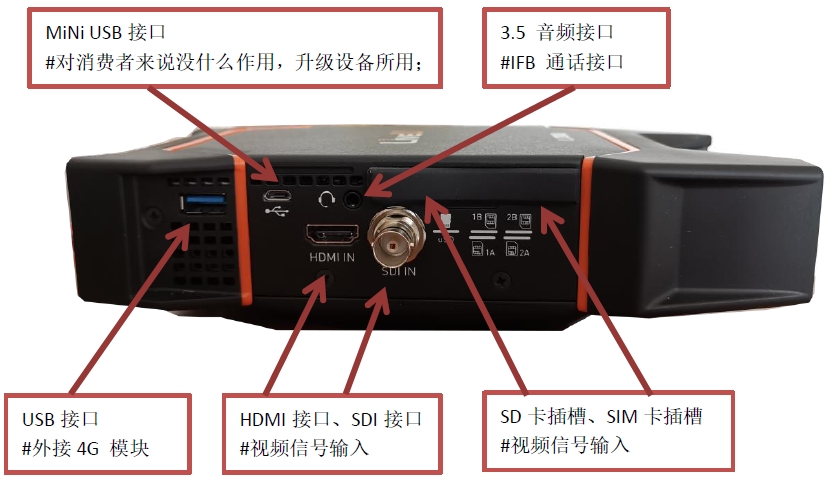
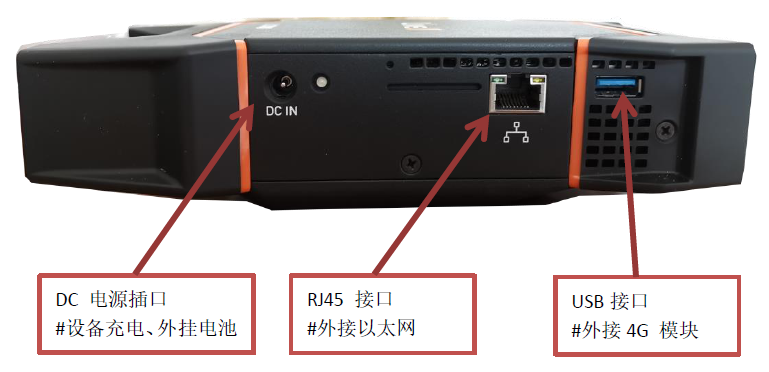
LU300 External Interface Description:
LU300 Touch Panel:
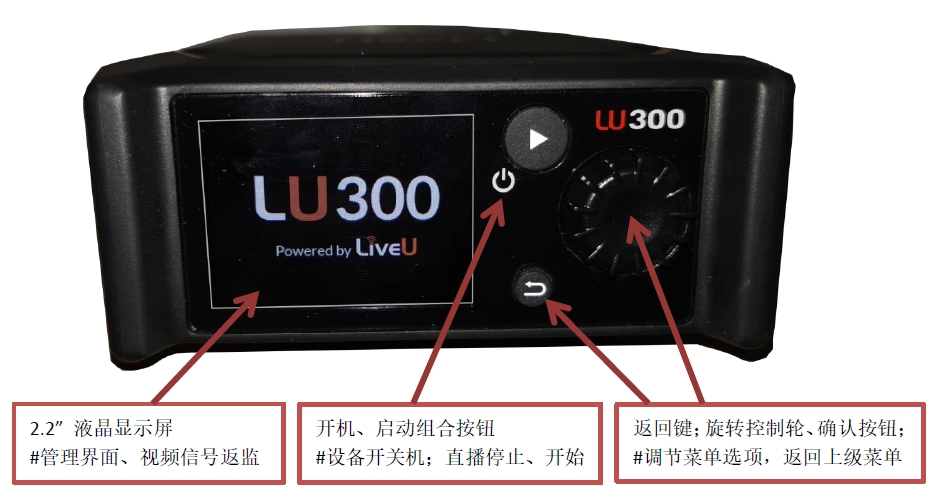
Detailed Explanation of LU300 Screen Display Information:
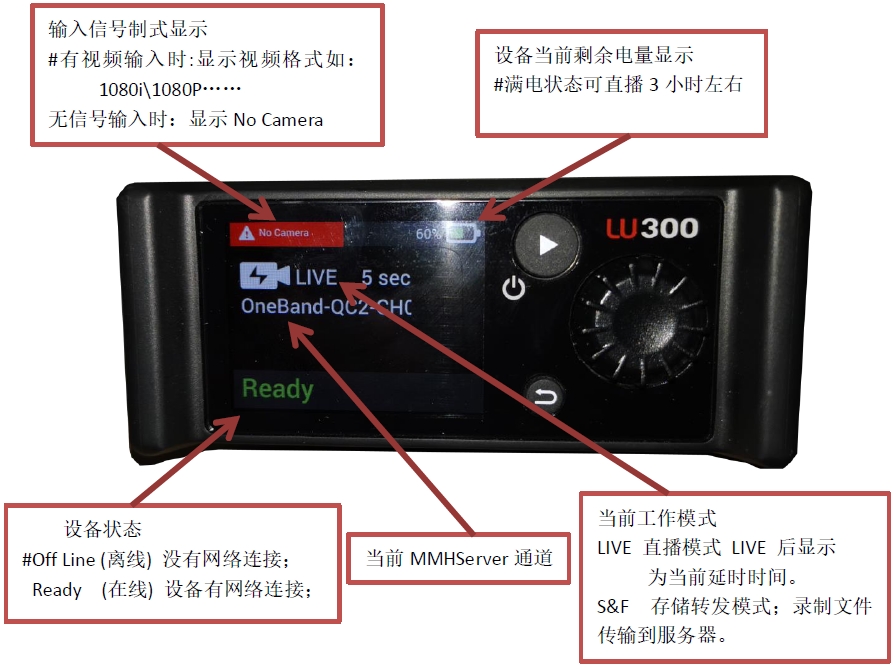
Detailed Explanation of LU300 Menu Operations:
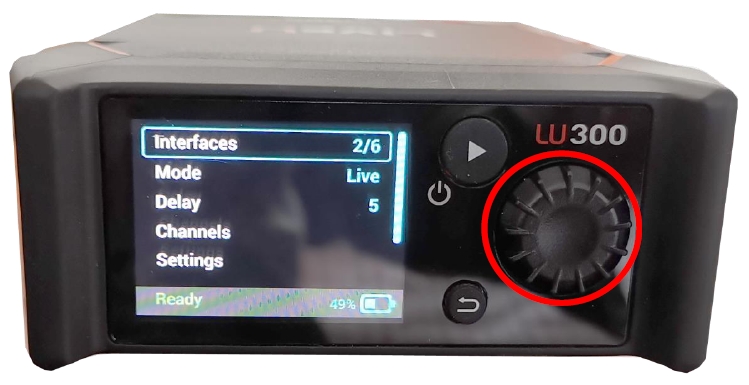
How to operate the settings menu:
※ Press the "Rotary Control Wheel" to enter the settings menu; rotate the wheel left and right to navigate options, and up and down to adjust selections; press the "Control Wheel" to confirm; the "Return" button below the "Control Wheel" takes you back to the previous menu.
Detailed explanation of the LU300 device menu:
Menu options include:
① Interface; --> View the status of the device's network interface;
② Mode; --> Set the operating mode of the device;
③ Delay; --> Set the transmission delay;
④ Channels; --> Select the transmission channel;
⑤ Settings; --> System settings; set the registration address;
⑥ Files; --> File transfer;
⑦ About; --> Detailed information about the device; such as software version, device serial number, model, etc.;
Detailed description of each menu:
1. Interface (Network Interface);
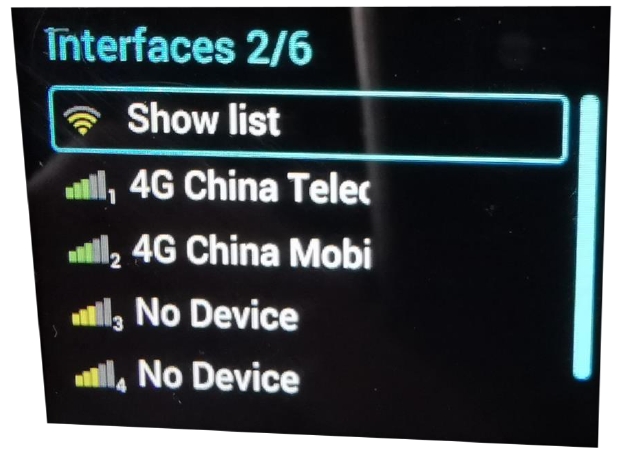
The LU300 can connect to up to 6 networks, which include: 4*SIM cards, WiFi, and Ethernet;
The order of network connections from top to bottom is:
1: WiFi; 2+3: (Built-in 4G module); 4,5: External 4G MiFi dongle; 6: Ethernet interface; the status of each network is indicated as: green (available) and yellow (unavailable);
When a SIM card is inserted and the backpack connects to the network, the carrier's network name and current signal strength will be displayed;
——At this point, if the network is available, the corresponding network will show green;
If there is no SIM card, it will display: No Name or No Device;
——At this point, the corresponding network will show yellow;
As shown in the figure below:
2. Mode (Operating Mode);
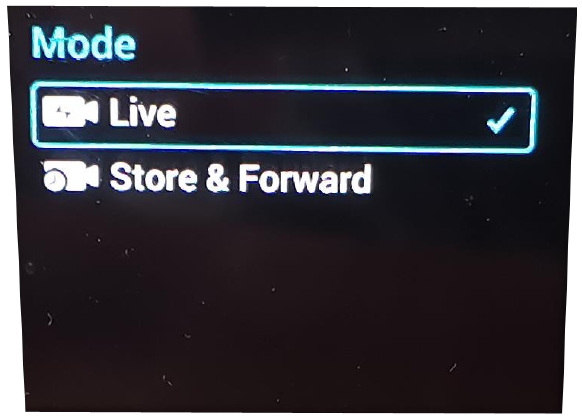
The LU300 has two operating modes: Live and Store & Forward.
Live mode: The LU300 sends the video stream directly to the receiving server, which outputs the signal transmitted by the LU300. The server outputs either SDI or HDMI signals;
Store & Forward mode: The LU300 records video locally to create files, which are then transmitted to the receiving server as files; the server stores the files and provides a network download link.
The Mode settings menu is shown in the image below: select the desired mode and click the "rotate button" to confirm.
3. Delay;
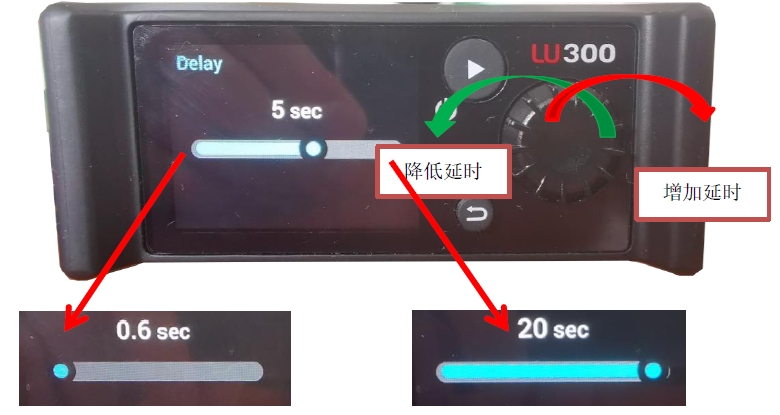
The LU300 delay setting refers to the time difference between the LU300 video signal and the output BNC signal to the receiving server. It is generally recommended to set it to 3-5 seconds. The LU300 supports ultra-low latency live streaming, with a minimum delay of 0.6 seconds, and also supports extended latency live streaming, with a maximum delay of 20 seconds.
Operating Instructions: Click the "Rotate Button" in the Delay menu to enter the delay settings; Rotate Button: Rotate counterclockwise to decrease the delay; Rotate clockwise to increase the delay; as shown in the image below:
4. Channels;
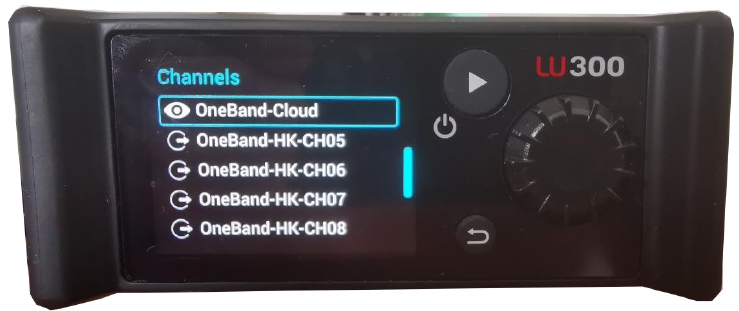
LU300 Transmission Channel Selection; the transmission channel refers to the output channel of the receiving server. The receiving server has 4 output BNC ports, each corresponding to a "channel name." During live broadcasting, ensure that the server's output port is free and available, and select the corresponding channel to begin transmission.
The Channels menu options are as follows: Each line under the Channels menu corresponds to a server output channel. After selecting, press the "Rotate Button." Once successfully set, a checkmark will appear next to the corresponding channel.
5. Settings (System Settings)
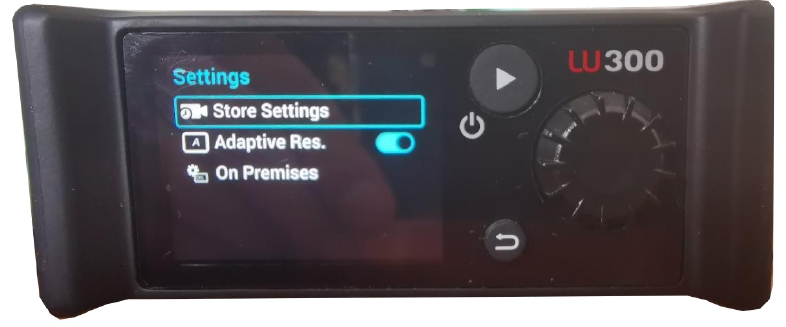
The Settings menu includes: 1. Store Setting; 2. Adaptive Resolution; 3. On Premises. Among these three settings, On Premises does not need to be configured as it is already set at the factory. The On Premises (Adaptive Resolution) option can be set to "On" or "Off," and it is typically kept "On."
The Store Setting menu includes:
1. Prefix (the prefix setting for the filename when video signals are recorded and transmitted to the server for storage);
2. HD Quality (high-definition video signal recording quality settings): Three levels (HQ-15, SP-8, LP-3Mbps)
3. SD Quality (standard-definition video signal recording quality settings): Three levels (HQ-8, SP-4, LP-2.5Mbps)
6. Files;
The LU300 backpack can be used as a file upload workstation. Personnel at the front can store files on a USB flash drive or an SD memory card. Insert it into the USB port of the LU300 backpack. Files can be found in this menu, and by selecting "UPLOAD," the files can be transferred to the server for use by personnel at the back.
7. About (Details);
ABOUT Menu displays device details;
For example: device serial number, software version, network card MAC address, etc.
LU300 Remote Control:
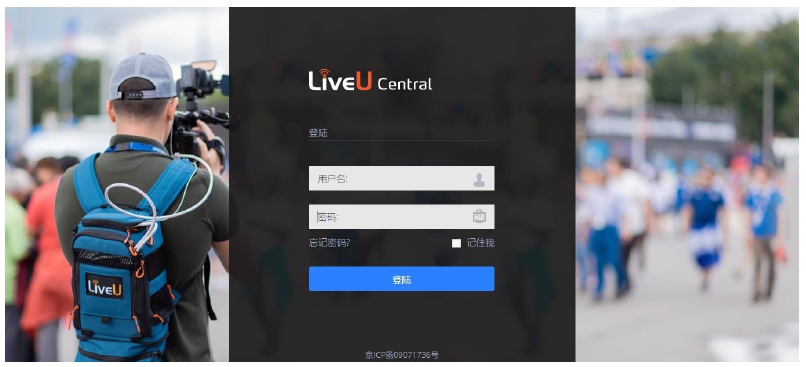
The LiveU series products can be remotely controlled via the WEB interface; you can view basic information about the backpack, video source formats, and start or stop transmission, etc.; for specific operations, please refer to the LiveU Central User Guide.
Thank you for choosing the LiveU 4G/5G live streaming series products.
For technical support, please contact us;
Contact Information:
Beijing Oneband General Communication Technology Co., Ltd.
Address: 10th Floor, Xujie Building, No. 1, Building 29, Nanmofang Road, Chaoyang District, Beijing
Phone (TEL): +86 10 6530 2100
Fax (FAX): +86 10 6530 1636
Website: www.onebandsystem.com
Email: info@onebandsys.com